Key Use Cases
Tools in Detail
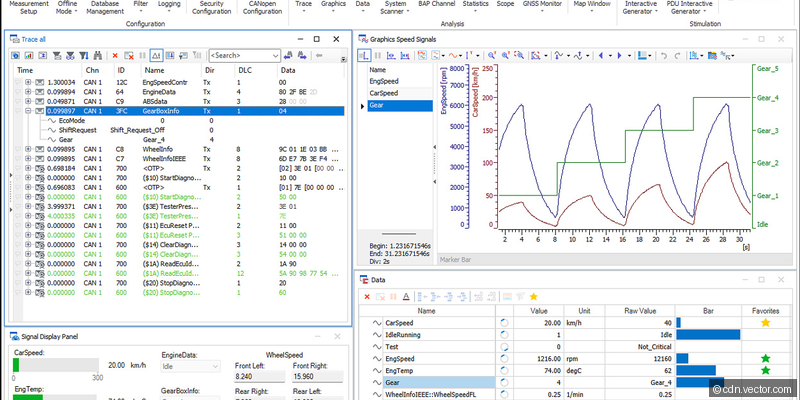
CANoe
The industry-standard multi-bus simulation and testing environment, and arguably the single most important tool in automotive network development. CANoe supports CAN, CAN FD, LIN, FlexRay, Automotive Ethernet (100BASE-T1, 1000BASE-T1), and J1939 protocols. Engineers use it for remaining bus simulation (simulating all ECUs except the one under test), automated test execution using CAPL (Communication Access Programming Language) or Python scripts, and diagnostic testing via UDS/KWP2000. The simulation environment models complete vehicle networks from DBC/LDF/ARXML databases, enabling integration testing before physical hardware is available. CANoe's panel designer creates custom dashboards for interactive testing. Advanced features include distributed testing across multiple PCs, gateway simulation, and SOME/IP service discovery for service-oriented architectures.
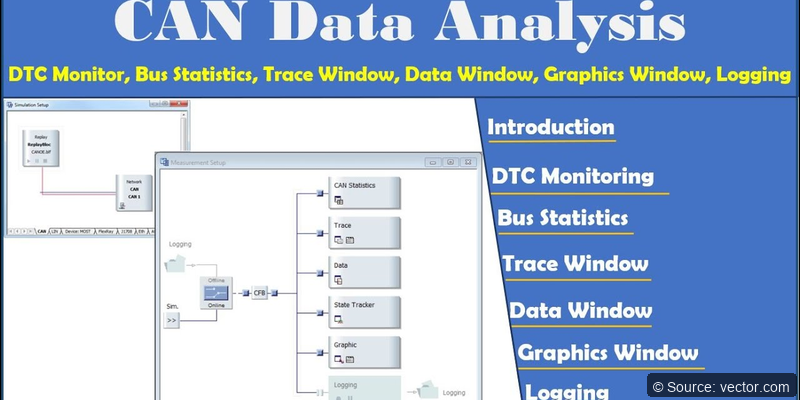
CANalyzer
A streamlined network monitoring and analysis tool designed for quick bus observation and debugging. While CANoe is the full simulation platform, CANalyzer focuses on passive monitoring - capturing, filtering, decoding, and recording bus traffic in real time. It supports trace recording in BLF/ASC formats, signal-level interpretation from DBC databases, and statistics like bus load, error frames, and message timing. Many engineers use CANalyzer as their daily debugging companion before switching to CANoe for complex simulation tasks.
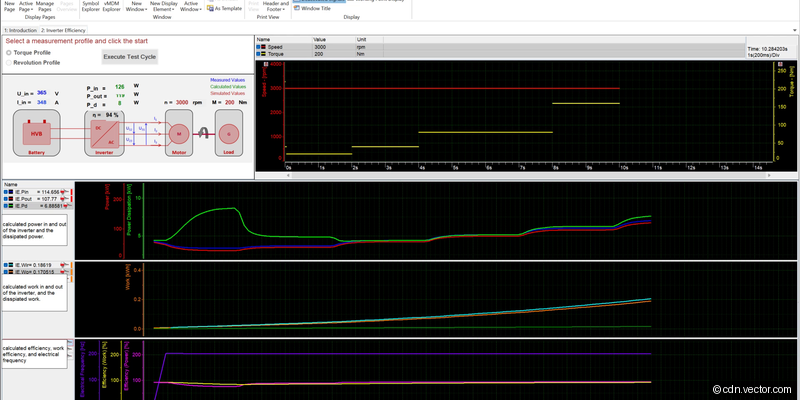
CANape
The premier measurement, calibration, and diagnostics tool for ECU development, dominant in powertrain and chassis domains. CANape communicates with ECUs through XCP and CCP protocols using A2L description files that map internal variables to physical addresses. Engineers read and write calibration parameters in real time, record high-speed measurement data at rates up to several megahertz, and perform online calibration of control algorithms. CANape integrates MATLAB/Simulink for model-based calibration workflows, handles concurrent multi-ECU access, overlay management for calibration page switching, and automated measurement campaigns.
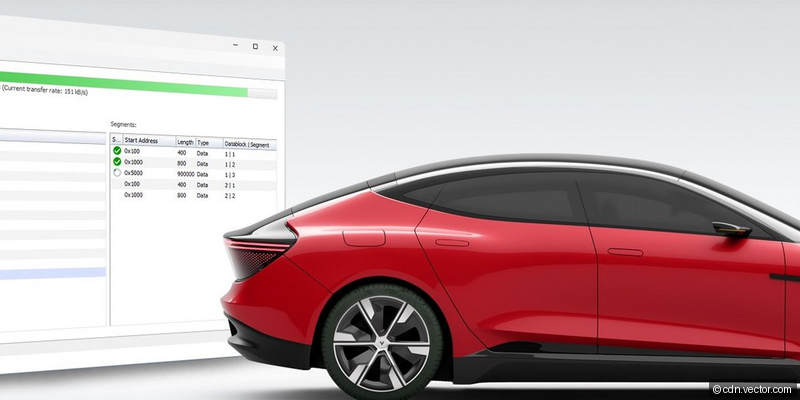
vFlash
A standalone ECU flash programming tool managing the complete reprogramming workflow through UDS-based diagnostic protocols. vFlash supports flashing over CAN, CAN FD, Ethernet (DoIP), and K-Line interfaces. It processes ODX/PDX-based flash configurations defining the complete flash sequence including security access, memory erasure, compressed data transfer, and verification. The tool handles OEM-specific flash sequences with complex multi-step authentication, seed-key calculations, and conditional programming based on hardware variants.
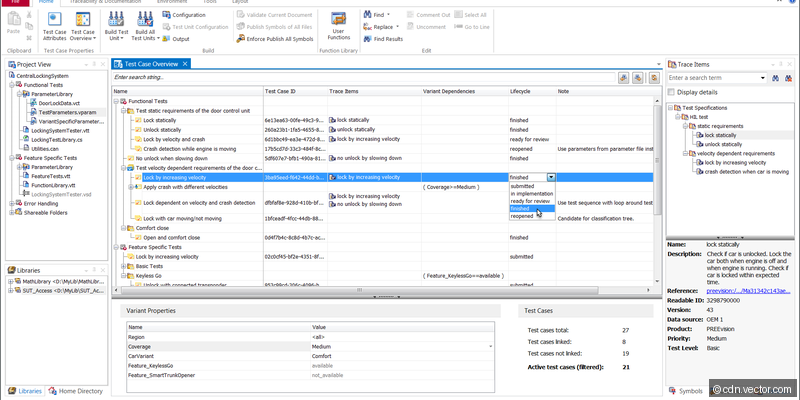
vTESTstudio
A professional test authoring environment purpose-built for creating automated test cases for CANoe. It supports CAPL, Python, C#, and .NET scripting with setup/teardown phases, parameterized test cases, and data-driven testing. The graphical test table editor enables non-programmers to author tests in a spreadsheet-like interface. Built-in test management tracks test case status, links to requirements for ASPICE traceability, and generates detailed HTML reports.
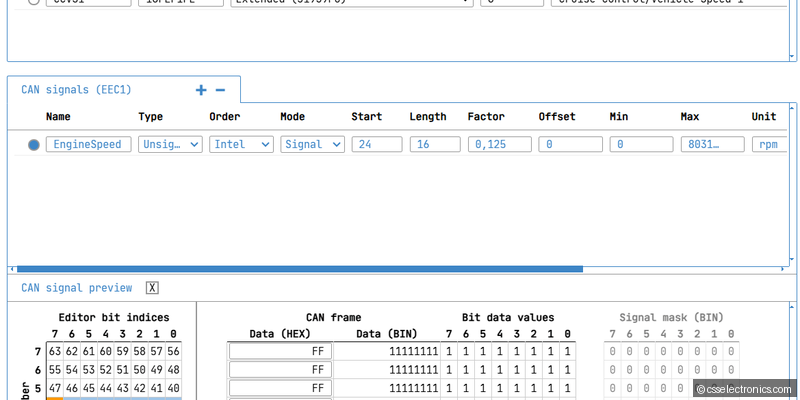
CANdb++
The standard database editor for CAN and LIN communication databases (DBC/LDF). CANdb++ defines messages with CAN IDs and cycle times, signals with bit positions, byte ordering, scaling factors, and value descriptions, network nodes and their message assignments, and environment variables. This database serves as the single source of truth for all other Vector tools.
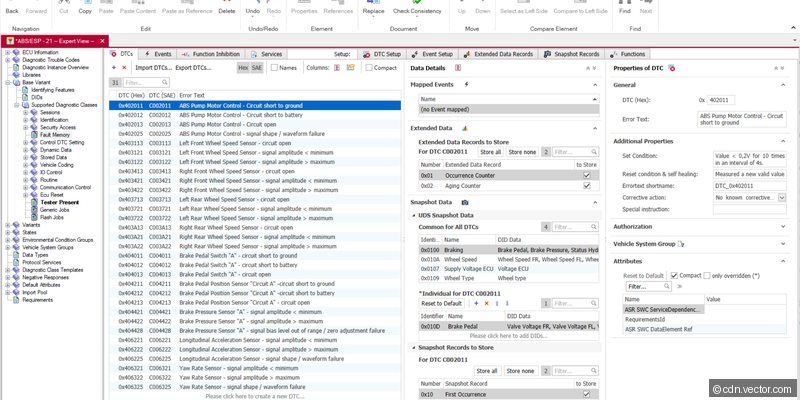
CANdelaStudio
The leading diagnostic authoring tool defining ECU diagnostic capabilities in CDD format. Engineers define UDS services, DIDs with data formats and scaling, DTCs with snapshot and extended data records, routine controls, I/O controls, and security access levels. CANdelaStudio generates ODX-compliant output for diagnostic testers, production tools, and after-sales equipment. Template-based authoring ensures consistency across all ECUs in a vehicle platform.
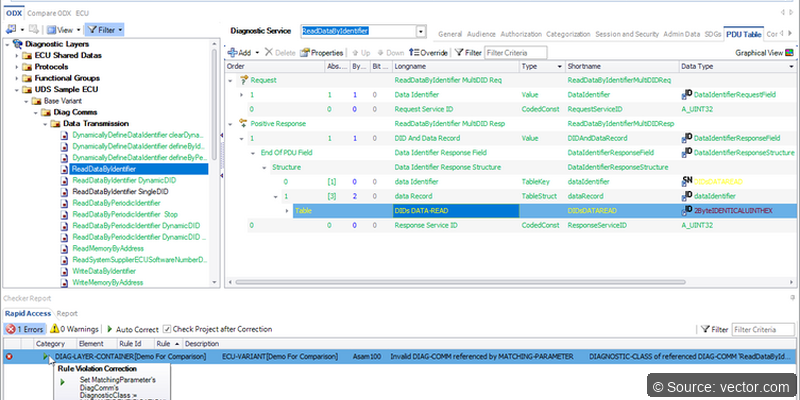
ODXStudio
An advanced ODX editor for diagnostic data according to ISO 22901 (ODX 2.2.0). While CANdelaStudio focuses on individual ECU descriptions, ODXStudio handles the complete ODX data model: COMPARAM-SPEC, DIAG-LAYER-CONTAINER, VEHICLE-INFO-SPEC, and FLASH. Essential for OEMs managing diagnostic data across entire vehicle platforms with hundreds of ECU variants.
DaVinci Developer
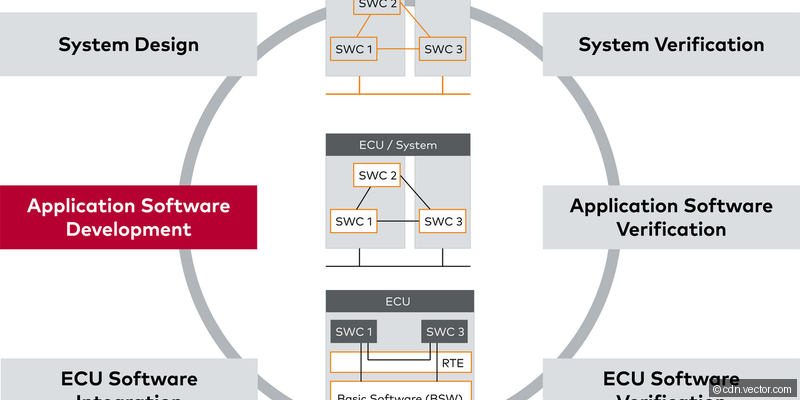
The AUTOSAR application design tool for creating Software Component Descriptions. Engineers define Software Components with ports (Sender/Receiver, Client/Server), internal behavior (runnables, timing, data access), data types, port interfaces, and mode management. Generates ARXML files describing the application architecture. Works with DaVinci Configurator - Developer handles the application layer, Configurator handles the BSW.
DaVinci Configurator
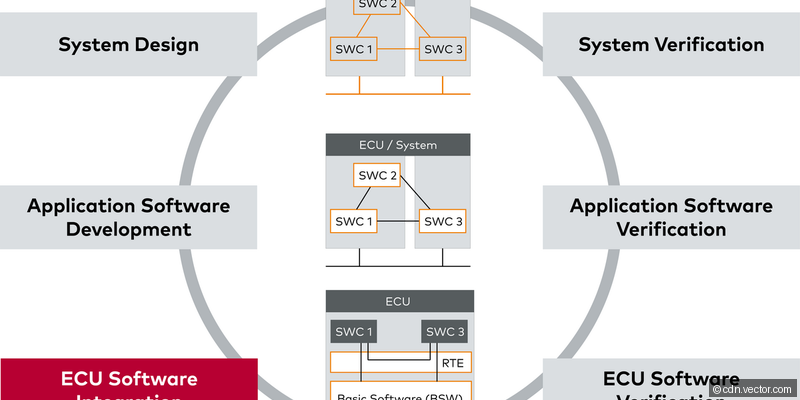
The AUTOSAR BSW configuration and code generation tool for all standardized BSW modules: COM, DCM, DEM, NvM, OS, PDUR, CanIf, CanTp, and more. Validates configurations against AUTOSAR schema rules and inter-module consistency checks. Generates highly optimized C code pre-validated for MISRA compliance. Processes system-level ARXML extracts to automatically derive communication and diagnostic configurations.
PREEvision
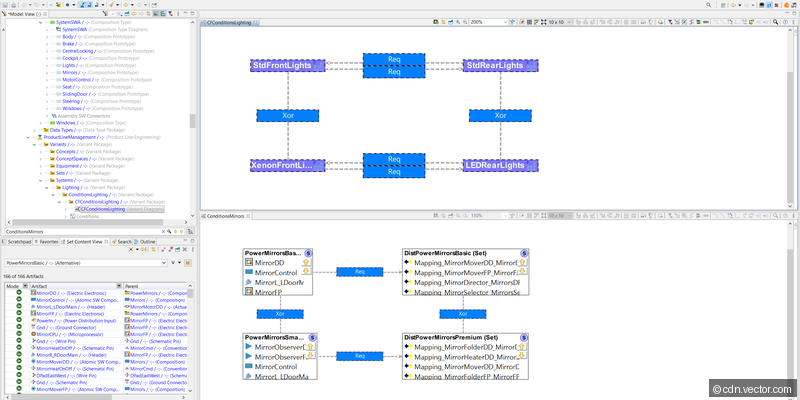
A model-based E/E architecture design tool covering requirements management, logical function architecture, network topology, hardware allocation, wiring harness layout, and AUTOSAR software architecture. Enables traceability from customer requirements to physical wiring and software. Supports variant management for multiple vehicle configurations. Used by major OEMs for strategic architecture decisions like migration to zone-based SDV architectures.
Industry Context
Vector tools form the backbone of virtually every automotive communication development project worldwide. When an engineer needs to develop, test, or debug anything related to vehicle networks - from a single CAN signal to a complete E/E architecture with hundreds of ECUs - Vector's suite is typically the first toolchain considered. The ecosystem effect is powerful: since nearly all OEMs standardize on Vector tools, Tier-1 and Tier-2 suppliers must also use them to collaborate on shared network databases and diagnostic specifications. This ubiquity makes Vector proficiency one of the most valuable skills for automotive embedded engineers.
Typical Workflow
In a typical Vector-based development workflow, the process starts with PREEvision for E/E architecture design, defining the network topology and ECU allocation. Network engineers then create communication databases in CANdb++ and diagnostic specifications in CANdelaStudio. Software architects use DaVinci Developer to design the AUTOSAR application architecture, while DaVinci Configurator generates the BSW layer. During development, CANoe serves as the primary integration and test platform - engineers simulate the vehicle network, test their ECU against simulated remaining bus nodes, and execute automated test cases authored in vTESTstudio. CANalyzer provides quick debugging access for daily tasks. CANape handles measurement and calibration. Finally, vFlash manages ECU programming. Data flows seamlessly between tools via shared DBC, ODX, and ARXML formats.
Selection Guide
Pro Tips
Always keep your DBC/LDF databases version-controlled in Git - they are the single source of truth that drives all other tools.
In CANoe, use Interaction Layer (IL) for realistic signal simulation including cycle time jitters and startup behavior.
Learn CAPL early - it's the scripting backbone of CANoe/CANalyzer and knowing it is expected in almost every automotive embedded role.
When debugging integration issues, CANoe's Trace window with symbolic decoding is faster than reading raw hex - invest time setting up your database correctly.
For CI/CD integration, CANoe supports command-line execution enabling automated test runs in Jenkins/GitLab pipelines.